
Why does AdBlock request these permissions?
Short version
AdBlock needs these permissions to block and hide ads on every site you visit. While the browser's warning sounds alarming it's important to know that AdBlock does not track your browsing, collect your personal information, or alter anything you submit online.
Longer version
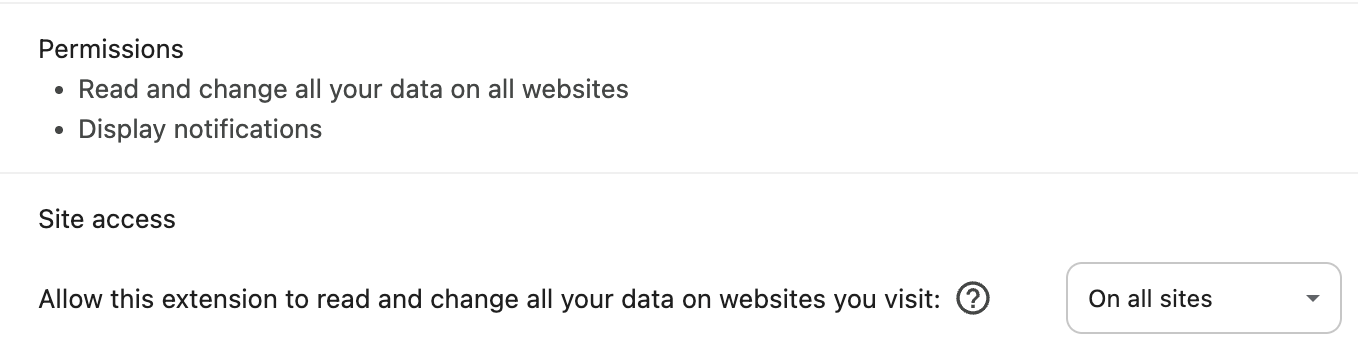
When you first install AdBlock, your browser may show a warning like: "AdBlock can read, modify, and transmit content from all web pages. This could include sensitive information like passwords, phone numbers, and credit cards."
The exact wording varies by browser, but it's designed to sound serious—because you should always be aware of what extensions are allowed to do. This permission is standard across all major browsers — Chrome, Firefox, Edge, and Safari all require it for an ad blocker to function effectively.
Chrome permissions
Safari permissions
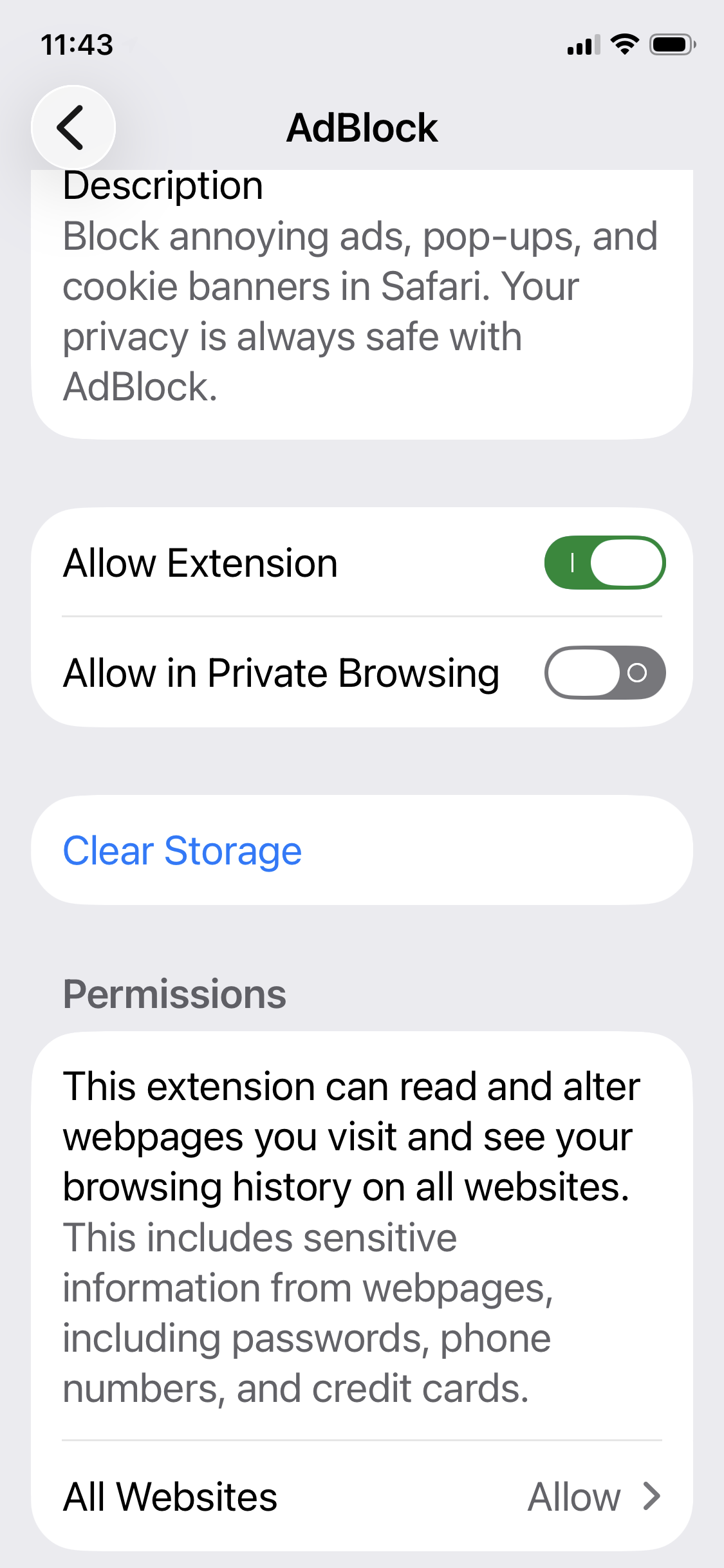
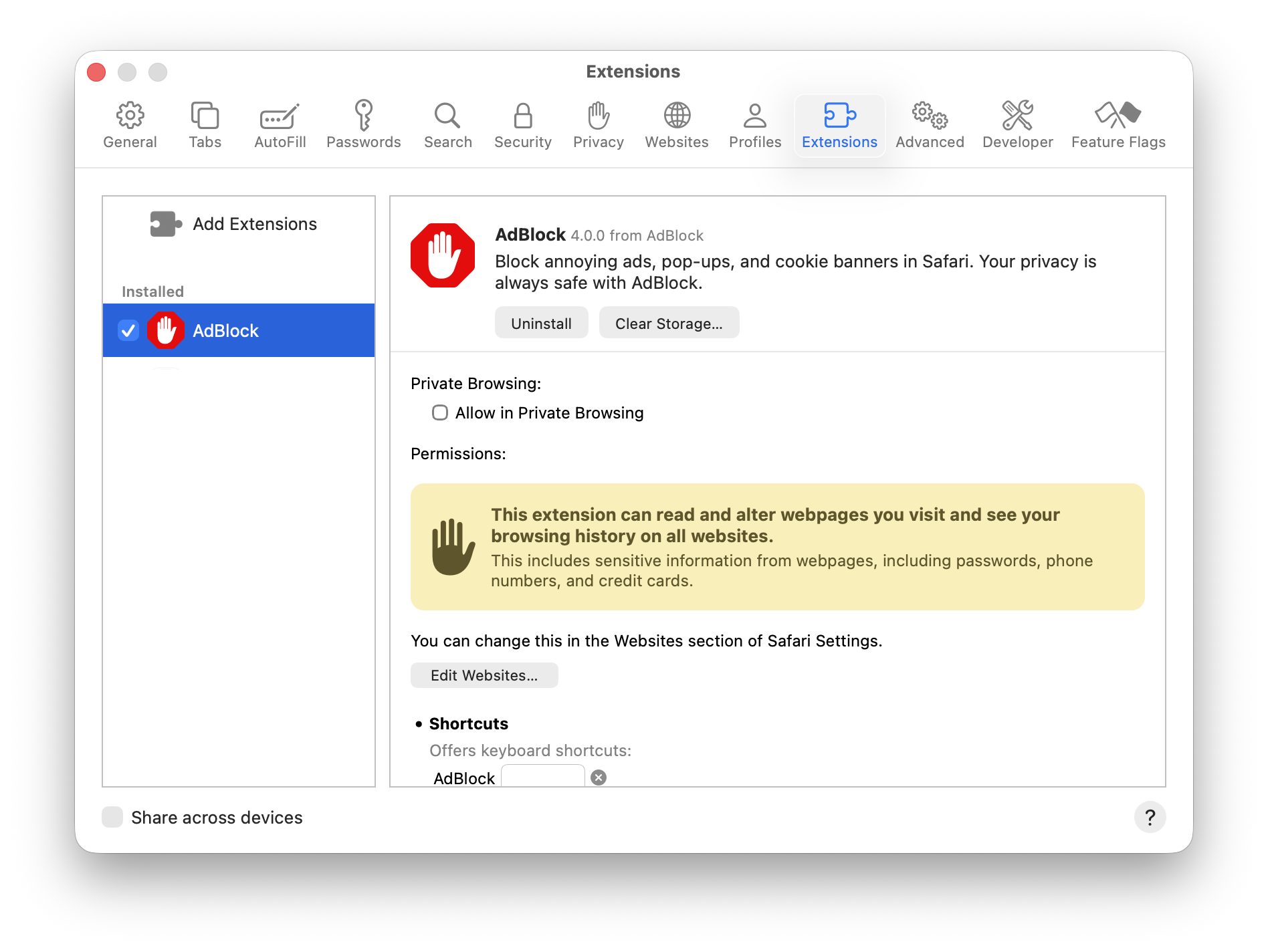
AdBlock for Safari & VPN uses the WebExtension API, which provides better ad blocking than previous versions — including cookie blocking, distraction control, and anti-circumvention filters. This requires the permission you see during setup.
|
iOS |
macOS |
|---|---|
|
|
Mac users may also see this prompt when visiting a new site in Safari:
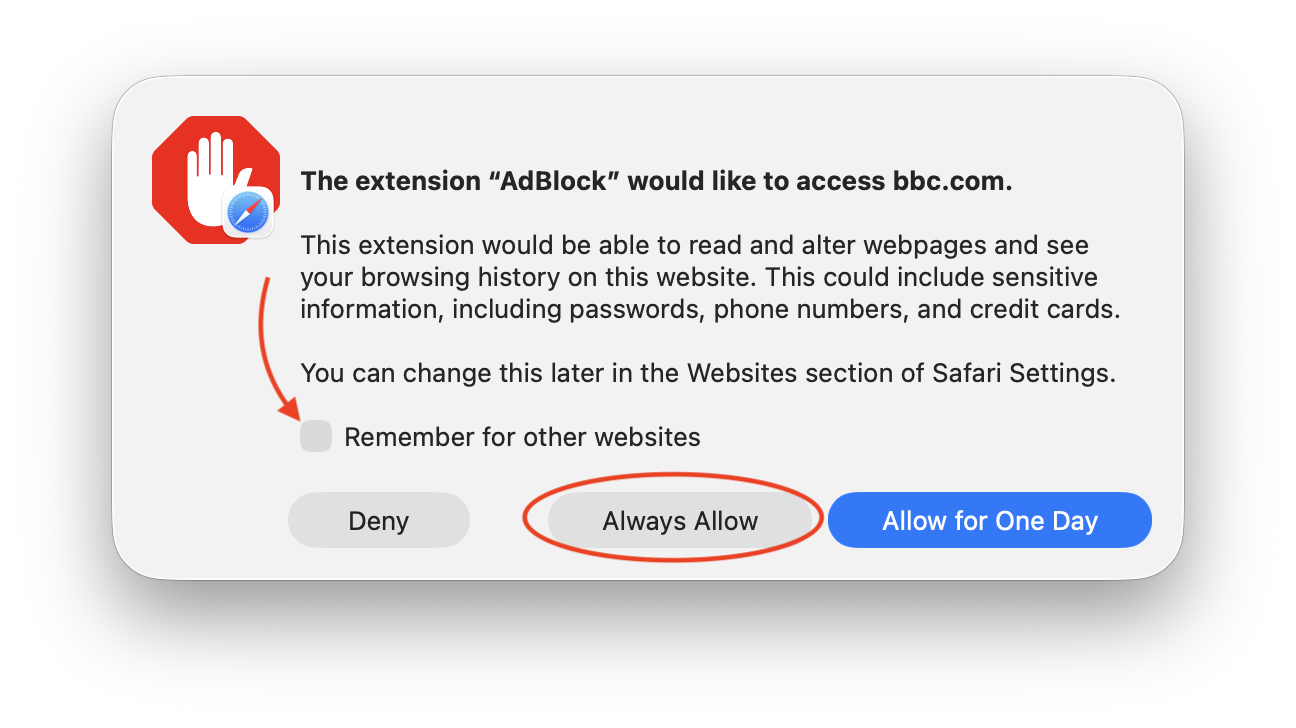
This is Safari asking for permission to allow AdBlock to work on the current site. To avoid seeing this on every site, check "Remember for other websites" and click "Always Allow."
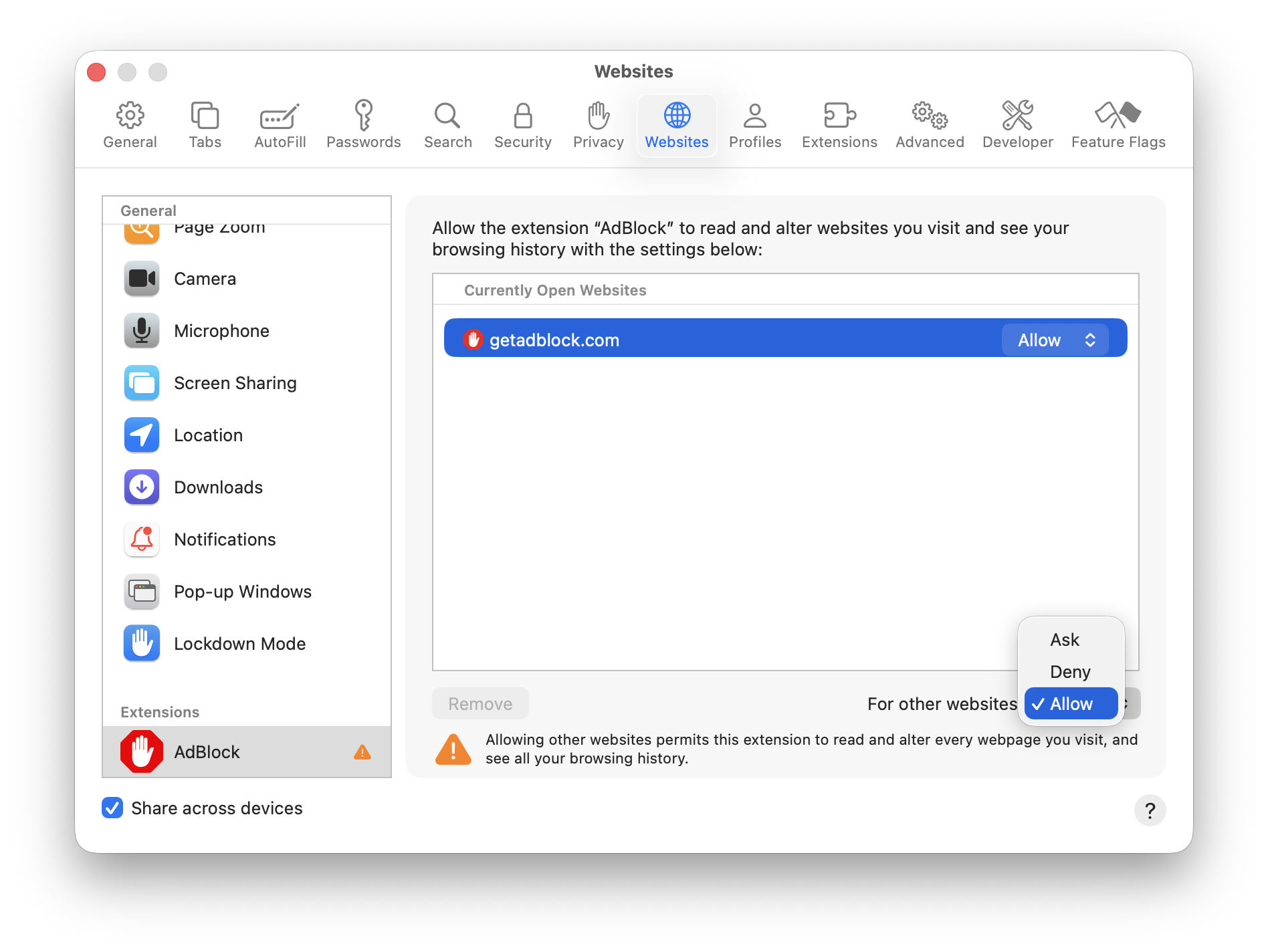
You can also update this setting at any time in Safari > Settings > Extensions > AdBlock > Edit Websites, then set "For other websites" to Allow:
What do those permissions really mean?
Here's what those permissions really mean in the case of AdBlock:
-
Access every page you visit AdBlock needs to see the pages you open so it can block or hide ads everywhere. This means AdBlock knows the URLs of the sites you visit.
-
Read page content AdBlock checks the content of each page to detect ads that weren't blocked before loading. Technically, this means it could see things like forms or activity on that tab—but AdBlock does not collect or store that information.
-
Modify page content To hide ads, AdBlock adds small snippets of HTML, CSS, or JavaScript to the page. This only changes how the page looks—it doesn't change the content you submit.
-
"Webpage Contents" permission This permission allows AdBlock (and all ad blockers) to hide ads that can't be blocked at the request level by altering the page's code.
-
Other changes (allowlisting, ad detection, and more) AdBlock modifies page code to show the "allowlist" option when you request it, and also uses this access for snippets and anti-circumvention filter lists that help catch ads that would otherwise slip through.
Important: AdBlock never records your browsing history, captures what you type in forms (like passwords or credit cards), or alters any data you submit.
Do you collect any information?
We do collect some information to make AdBlock a better ad-blocking extension, and it's important to us to keep that to a minimum. For full details on what we collect, why, and how we use it, see our privacy policy.
Debug data you share with support
When you share debugging information to resolve a support issue, AdBlock collects details about your setup: your OS and browser versions, how long you've had AdBlock installed, your current version, enabled options, subscribed filter lists, any custom filters, and installed extensions.
You can review this data before sharing it. In AdBlock's options, go to the Support tab and click "Download debug data" — it downloads as a text file and you can remove anything you'd prefer not to share before you send it to us. If you do remove data, please let your support agent know that the file was altered.
Note: If you've enabled anonymous filter list usage and data collection, we receive an anonymous subset of that same debug data automatically which helps our engineers quickly identify widespread issues affecting many users.