
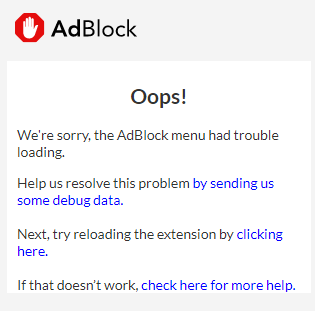
If the AdBlock menu displays a message that it had trouble loading, AdBlock may have encountered a browser error that prevented it from opening properly.
To troubleshoot:
-
First, try restarting your computer.
-
If the menu still doesn't load, restart your browser.
Important: The vast majority of users who reach out to us resolve the issue by restarting their computer and their browser. Please be sure to try these steps before continuing.
-
On the off chance that restarting your computer or browser doesn't help and the problem persists, try reloading AdBlock using the steps for your browser below.
-
Finally, if the steps above do not resolve the issue, you can try uninstalling AdBlock and installing it again.
-
If none of the options above make a difference, please submit a ticket with the following screenshots, using the steps for your browser below.
Tip: You may see the following error in your console:
DOMException: Internal error opening backing store for indexedDB.open
If you are seeing this error, then this is most likely due to a corrupt Chrome or Edge profile. You can test this by creating a new Chrome user and then adding AdBlock. If the issue no longer happens, then you will need to remove the corrupt profile and use a new one.