
How to pause and unpause
Select your browser below to learn how to pause and unpause AdBlock.
Chrome, Firefox, and Edge
To allow ads to show on the site you're currently visiting for the next 7 days:
-
Click the AdBlock icon on your browser's toolbar.
-
Click Pause on this site.
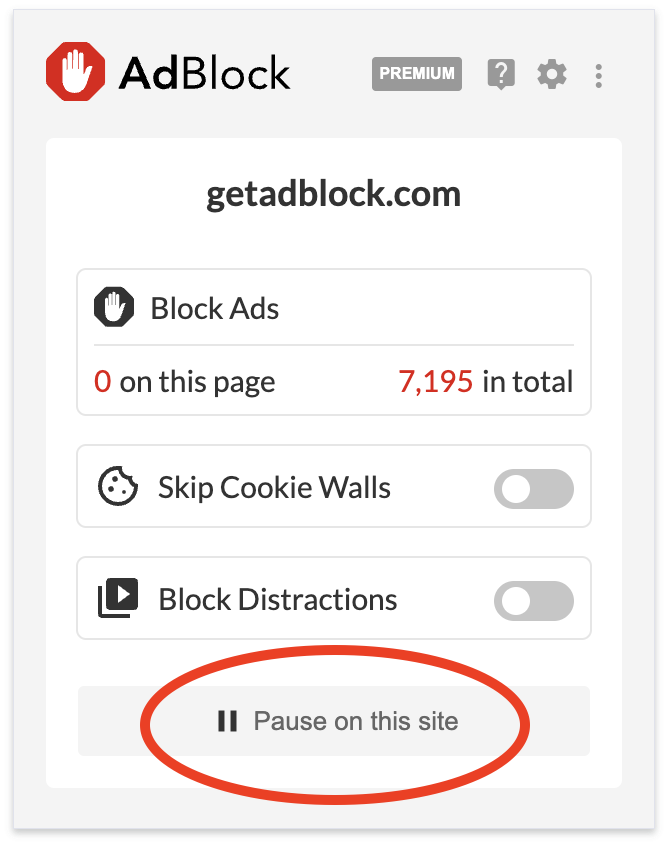
Once clicked, AdBlock will reload the page and ads will appear. The AdBlock icon on your toolbar will turn green and display a "thumbs up" indicating the site has successfully been added to your allowlist for 7 days:

Note: If you visit the site again within that 7 day period, AdBlock will automatically renew the site on your allowlist for another 7 days.
At any time you can block ads again using these options:
-
Go to the site where you've already allowed ads.
-
Click the AdBlock icon on the browser toolbar to open the menu
-
Click Resume Ad Blocking.
or
Right-click on a page where you've already allowed ads and select Resume blocking ads.
Safari (macOS)
Allowlisting Sites and Pages
There are two ways to access the allowlisting feature in macOS Safari: through the AdBlock toolbar icon, or through the AdBlock app.
Using the AdBlock app
Pausing and Unpausing
When you pause AdBlock, you are temporarily allowing ads to show on every site you visit. You can use the AdBlock menu bar icon, the AdBlock toolbar icon or the AdBlock app to pause and unpause. Just click the red pause button to show ads. To resume blocking ads, click the blue play button.
Disabling AdBlock for Safari
You should never need to disable AdBlock entirely while you're browsing the web. Pausing AdBlock or adding a site to your allowlist will generally get you past "anti-adblocking" blockades. But if something on a web page isn't working and pausing AdBlock doesn't help, try disabling AdBlock as a test. If the page displays as expected, please let us know. If the page doesn't display correctly with AdBlock disabled, then the issue is something other than AdBlock.
To disable AdBlock completely, go to Safari > Settings > Extensions and select the AdBlock Engine checkbox. When unselected, the AdBlock extension is disabled and no ads are blocked.
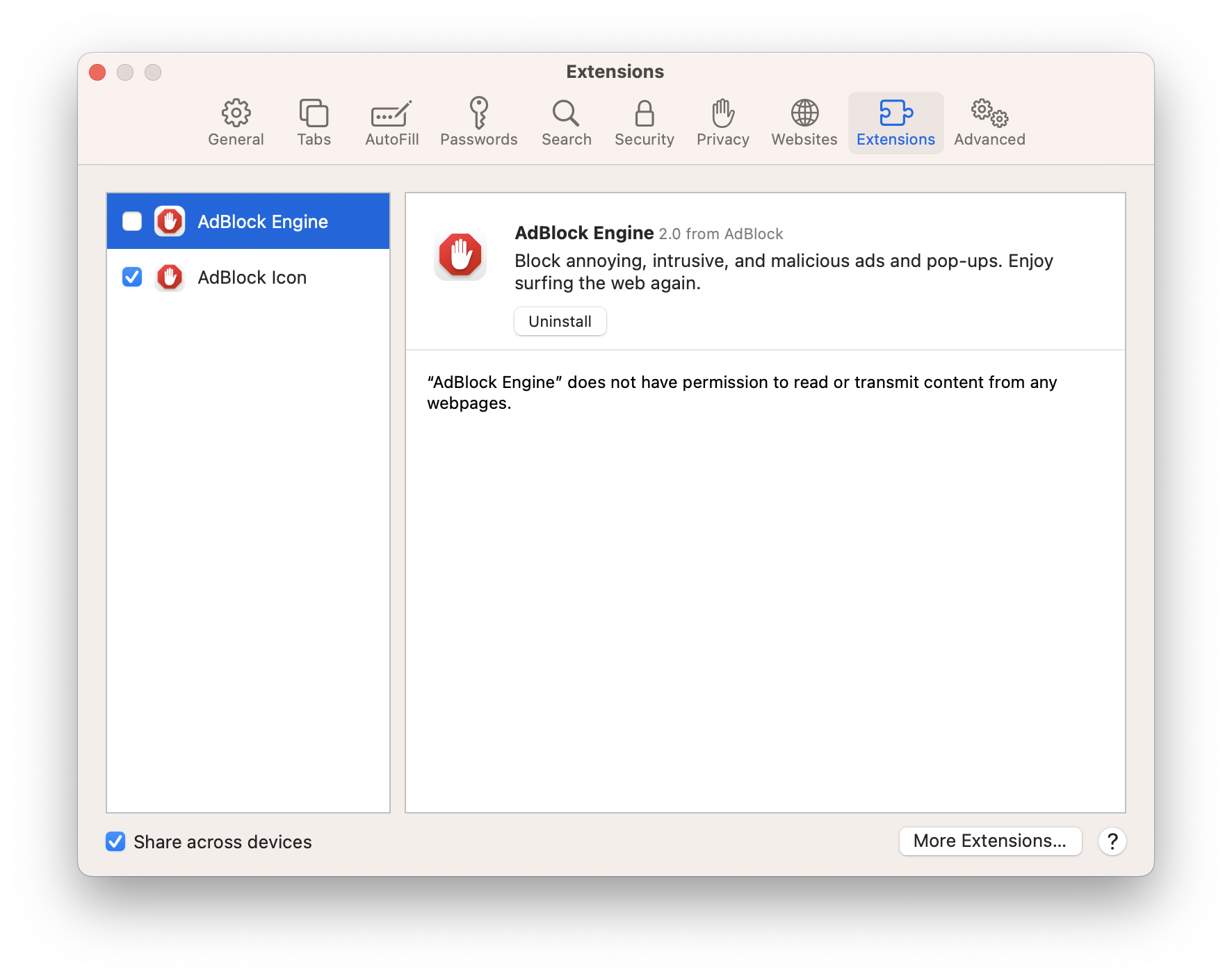
Still not seeing ads after disabling?
If you disabled AdBlock and you still aren't seeing ads, or you are still seeing a "turn off your ad blocker" notification, you likely have another extension or other software preventing ads from showing: A site still asks me to turn off AdBlock although it's allowlisted or AdBlock is paused.
Curious about advanced options?
Learn more here: Advanced pause options