
Welcome to the AdBlock for Safari + VPN iOS app. We have combined our ad blocker and revamped VPN into one seamless experience.
How do I stop ads and pop-ups?
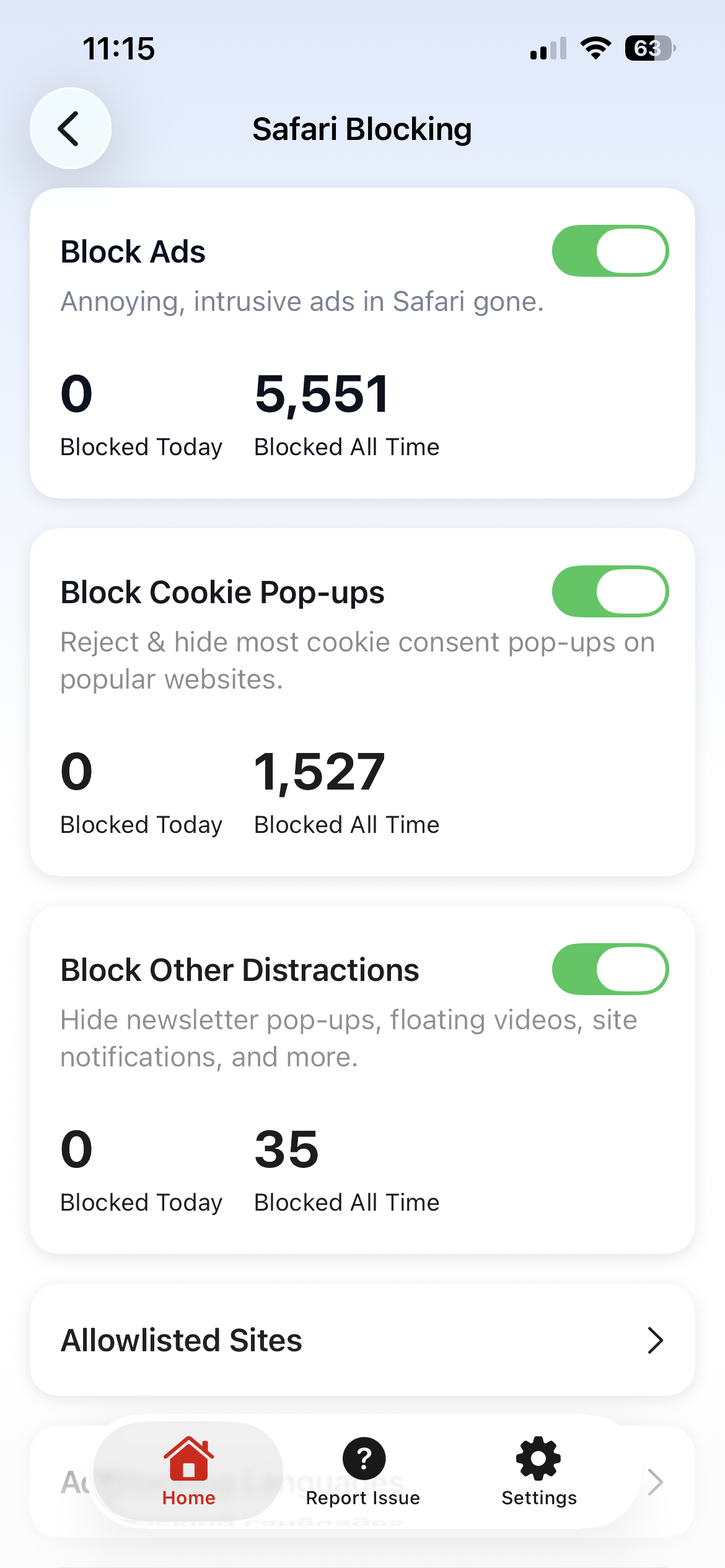
AdBlock works in layers. Open the app and go to Safari Blocking to choose exactly what you want to hide.
|
Type of Distraction |
Action |
|---|---|
|
Standard Ads |
Toggle Block Ads ON. |
|
“Accept Cookie” banners |
Toggle Block Cookie Pop-ups ON. |
|
Newsletter and “Sign up” pop-ups |
Toggle Block Other Distractions ON. |
How do I allow ads on a specific website?
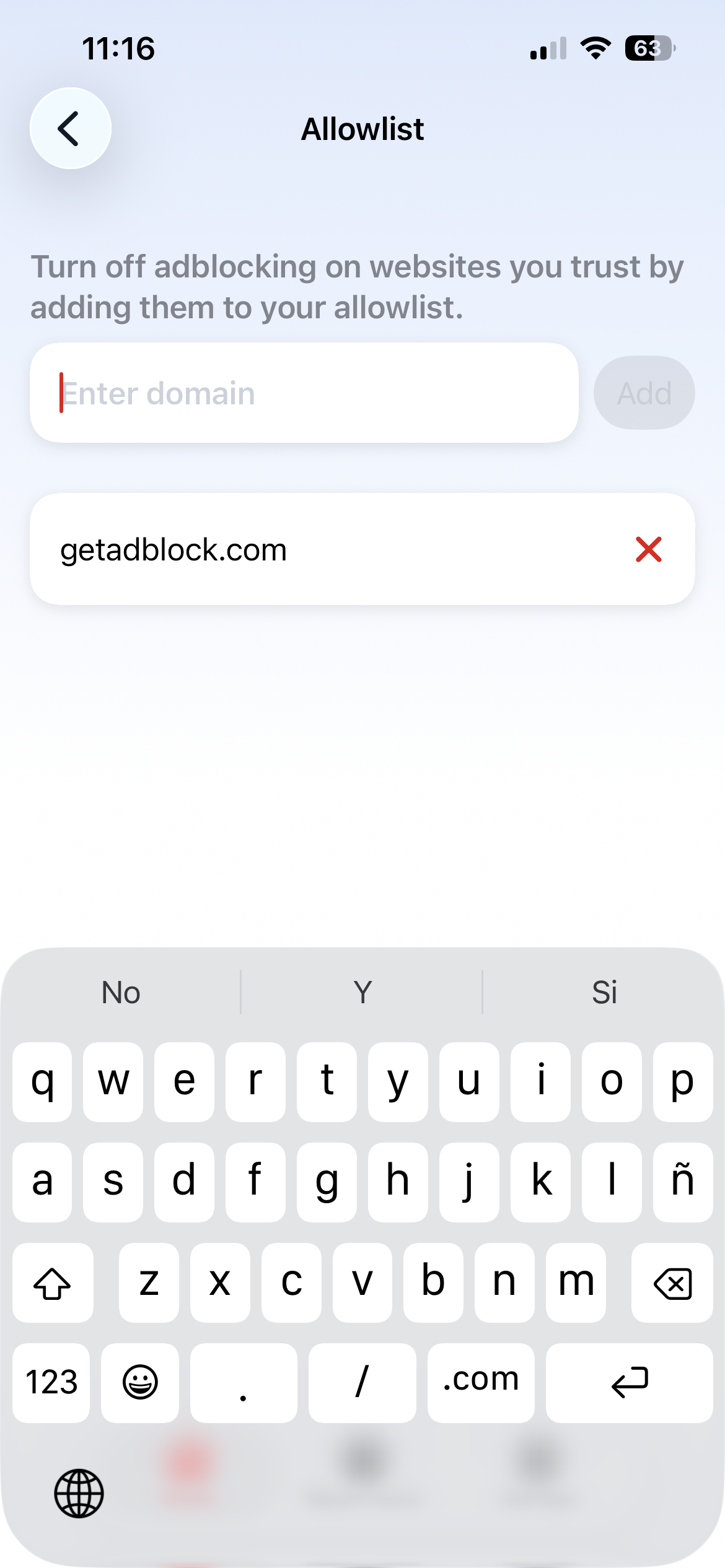
If a website asks you to turn off your ad blocker, or if you want to support a creator, you don't have to turn AdBlock off completely.
To add the site to your allowlist, tap Safari Blocking > Allowlisted Sites, then type in the website address.
How do I fix a website that isn't working?
If you notice a page that looks “broken” or displays incorrectly, you can try these steps:
-
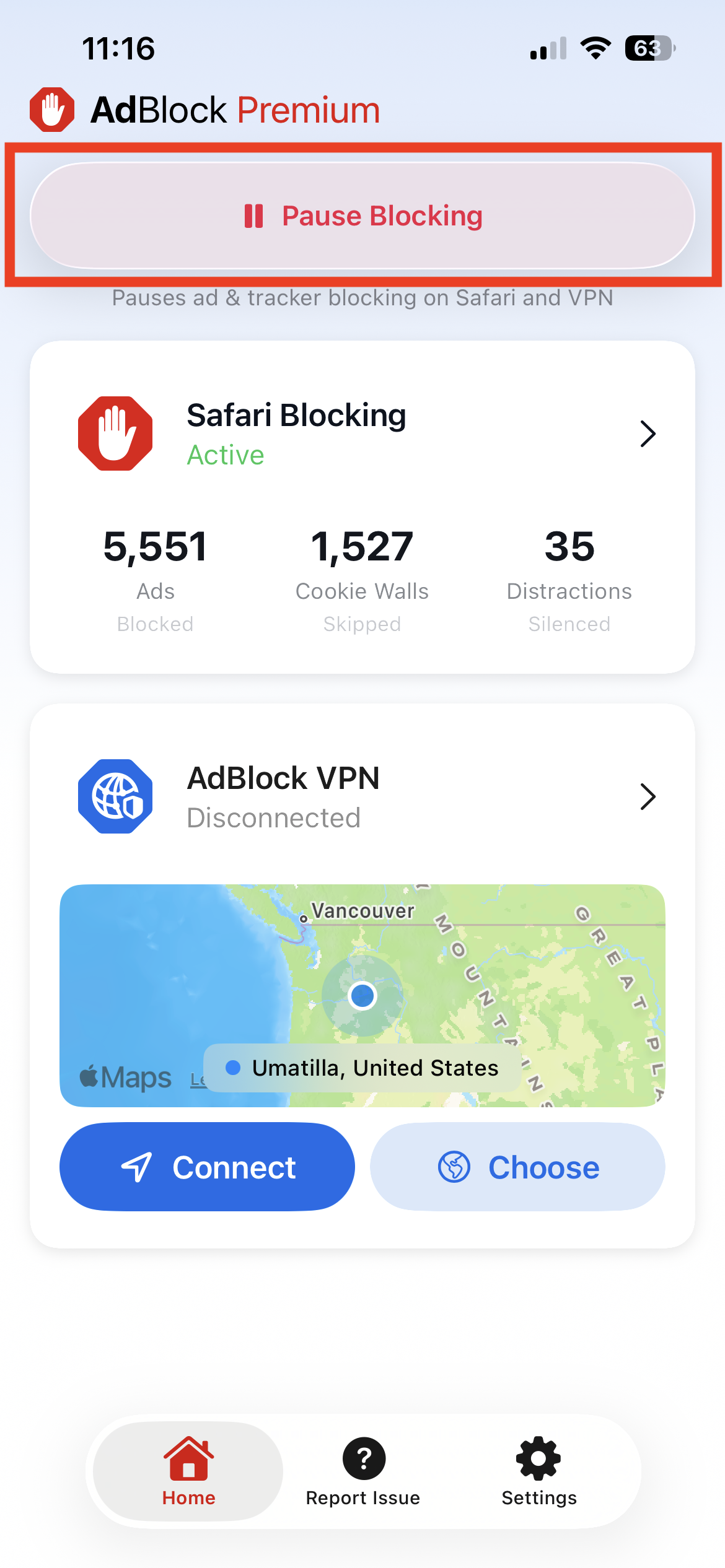
Tap the big red Pause Blocking button on the app’s home screen.
-
Refresh the website to see if it fixes the issue. If it does, you can add the site to your allowlist.
How do I use the VPN?
The VPN hides your location and encrypts your data. It also blocks additional ads and trackers across your device.
Connect
Tap Home > Connect.
If it’s your first time connecting, you will be prompted to allow the VPN configurations.
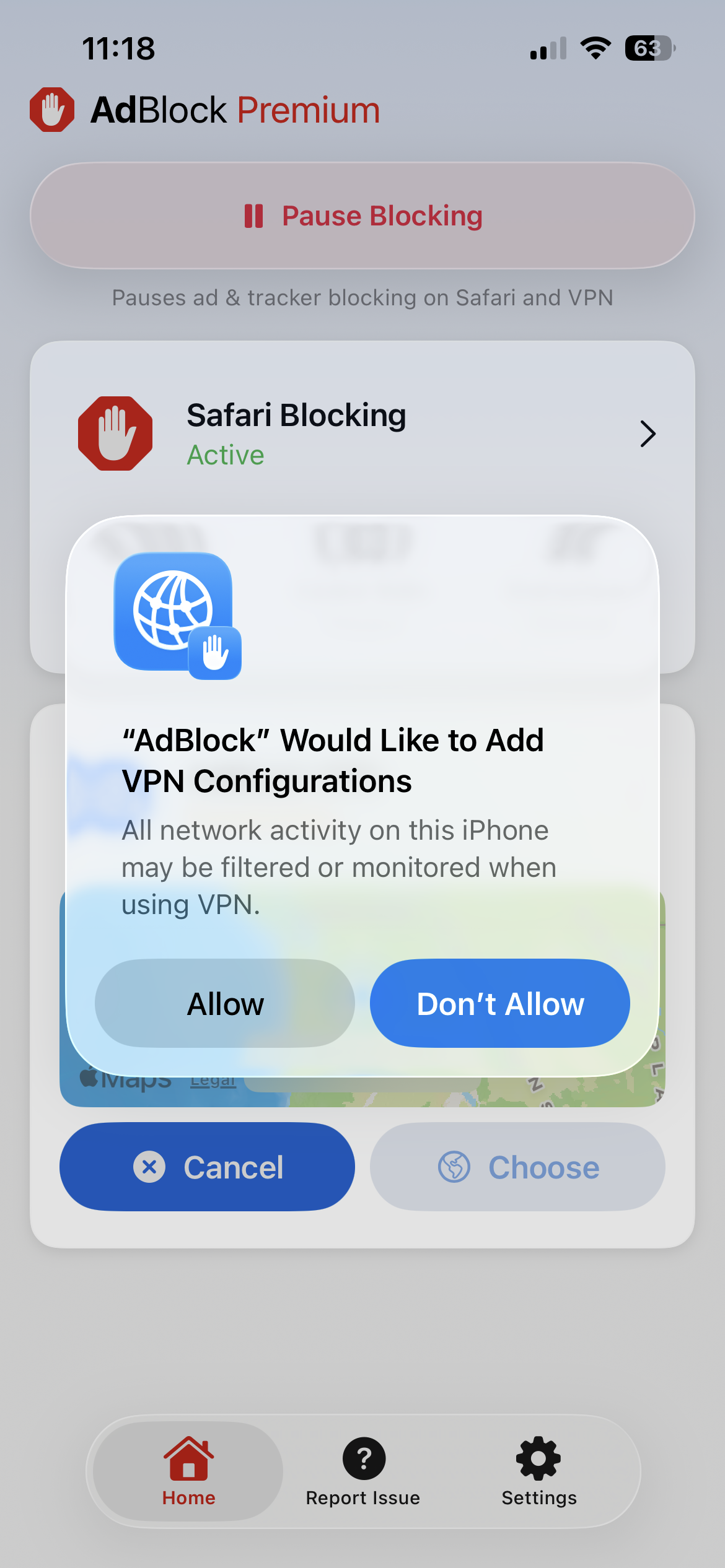
Once you have clicked Allow, you will be brought back to this home screen and can then click Connect.
Don’t see the blue Connect button? Make sure you signed in with your Premium account.
Change countries
Tap Home > Choose and select your preferred VPN location.
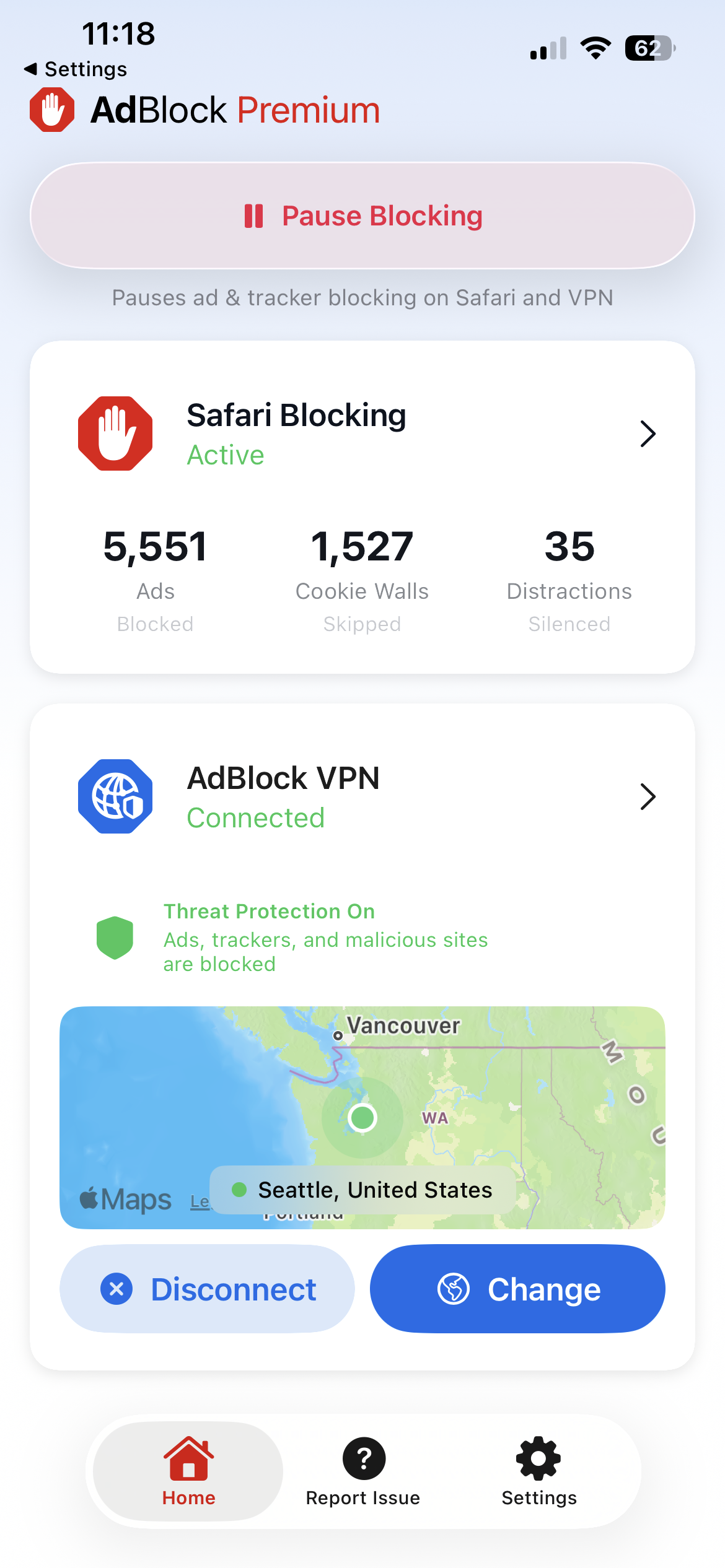
Stay safe from malware
-
Tap Home > AdBlock VPN.
-
Toggle Threat Protection ON.
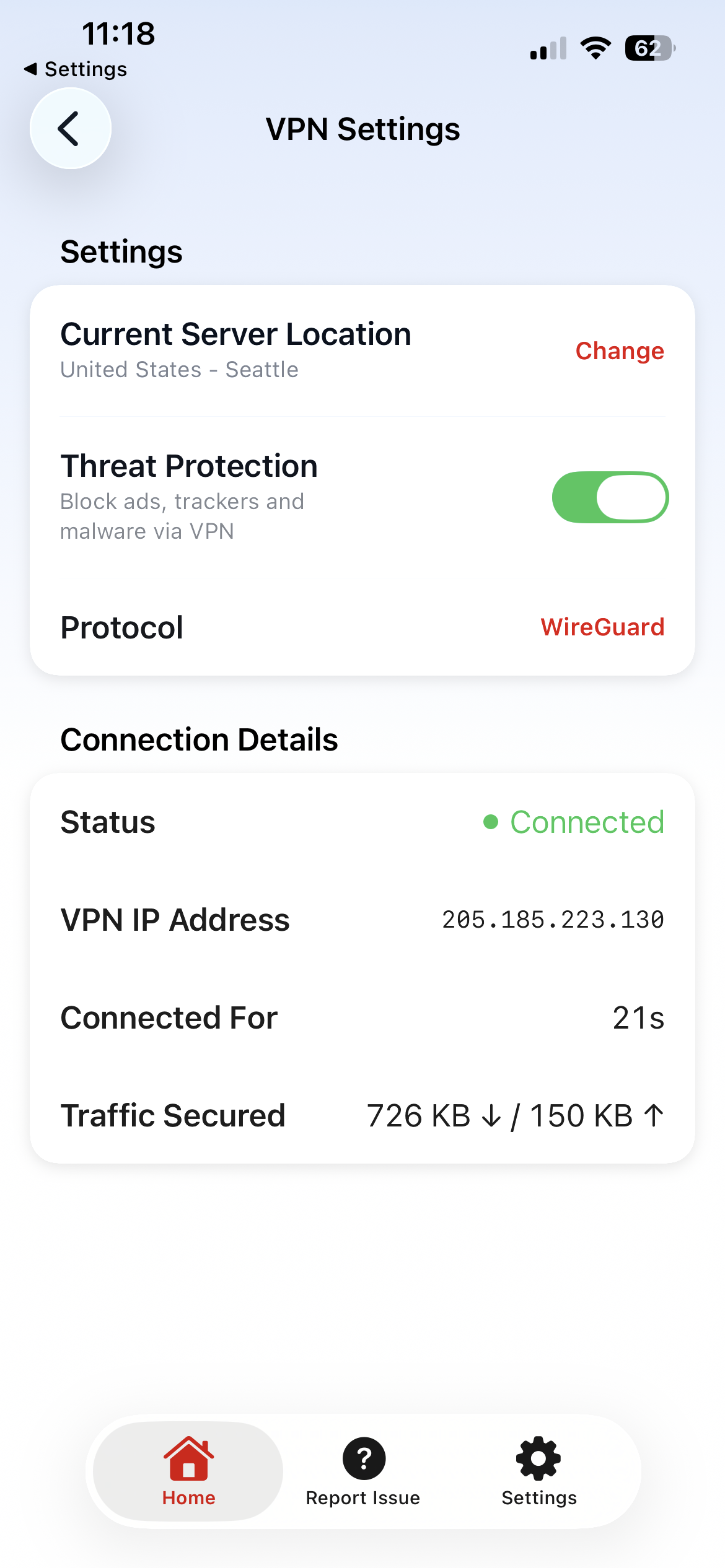
Learn more about how the VPN shields your privacy here: Introduction to AdBlock VPN.
Find more tips for navigating the VPN options on the app here: User Guide: AdBlock VPN.
Does the AdBlock app need to be open to work?
It depends on which features you use.
VPN works with the app open
The app must be open for the VPN to work.
Safari ad blocking works with the app open or closed
The app blocks ads even when it’s closed — no need to keep it running.
How do I make changes to my account?
Log out or change users
Tap Settings > Log Out.
View and edit your subscription
|
Purchase Method |
Steps |
|---|---|
|
Apple |
Tap Settings > Manage App Store Subscription. |
|
Paddle |
Tap Settings > Manage AdBlock Account. |