
What are AdBlock Stats?
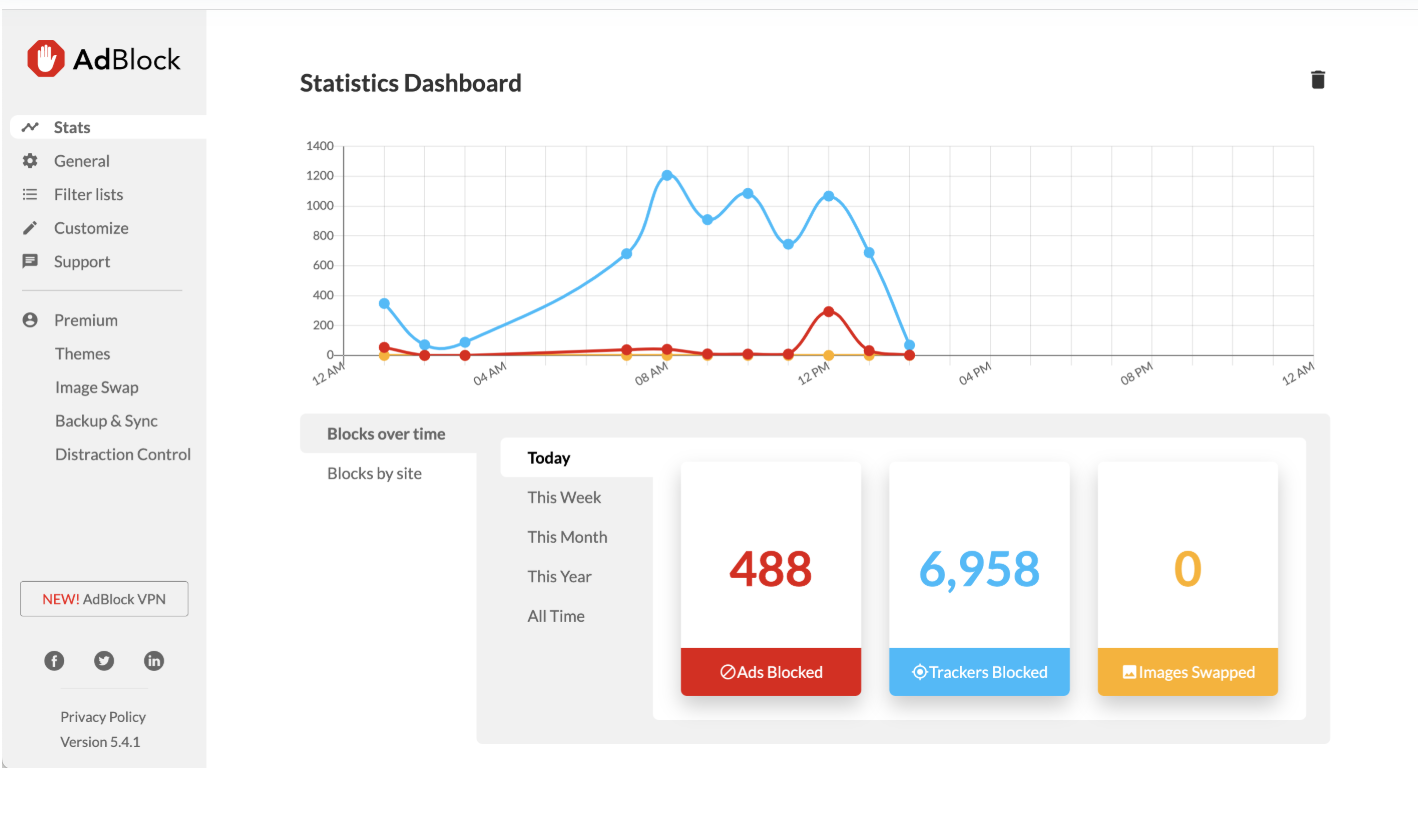
AdBlock's stats feature provides a way for users to track their ad-blocking activities over time, including ads, trackers, and, for AdBlock Premium users, how many ads have been replaced via Image Swap. Please note that the stats feature is currently only available in the AdBlock desktop extension for Chrome, Firefox, and Edge.
How do I access my Stats?
To access your AdBlock Stats, open the AdBlock menu (by clicking on the AdBlock toolbar icon and then on the gear symbol). Click Stats to open the Statistics Dashboard. The first time you use AdBlock Stats, you'll need to opt in to allow AdBlock to collect statistics (statistics information is stored locally and is not shared directly with AdBlock).
To disable the Stats feature, click the Trash icon in the top-right corner. Reinstalling the extension will also reset the feature.
What does the graph show?
On the Statistics Dashboard, you'll see graphs displaying "Blocks over time" and "Blocks by site." Use "Blocks over time" to see how many ads and trackers you've blocked in the past week, month, year, or for all time. Use "Blocks by site" to see the sites where AdBlock has blocked the most ads and trackers.
We added this feature after a user requested it. If you have a feature you'd like to see added to AdBlock, please open a ticket. We'd love to hear from you!