
Pin AdBlock to your browser’s toolbar for quick access to the AdBlock menu and Options page.

Chrome
Chrome
-
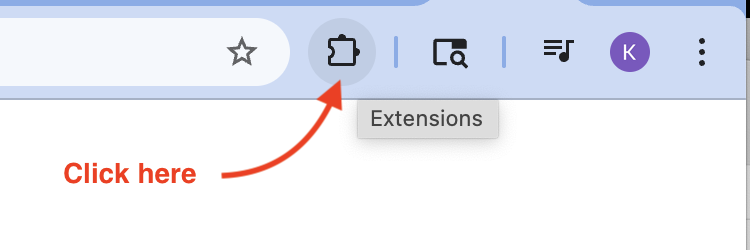
Click the puzzle icon in Chrome’s toolbar.
-
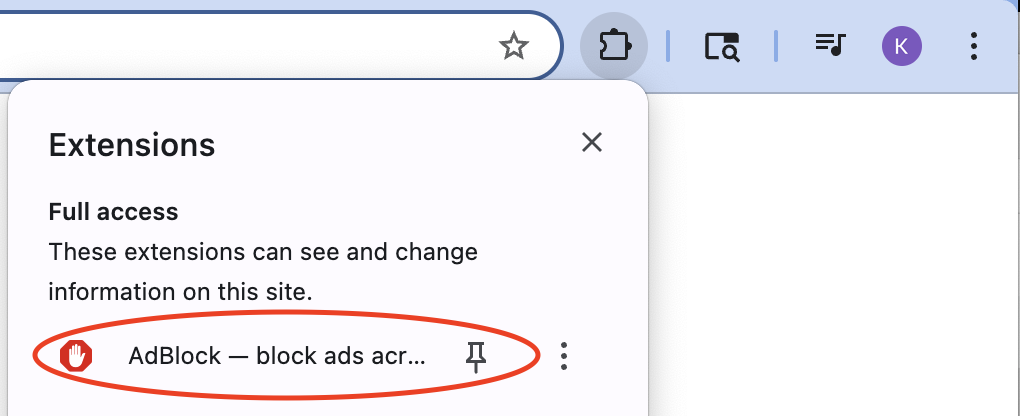
Click the pin icon next to AdBlock.
Firefox
Firefox
-
Click the puzzle icon on the Firefox toolbar.
-
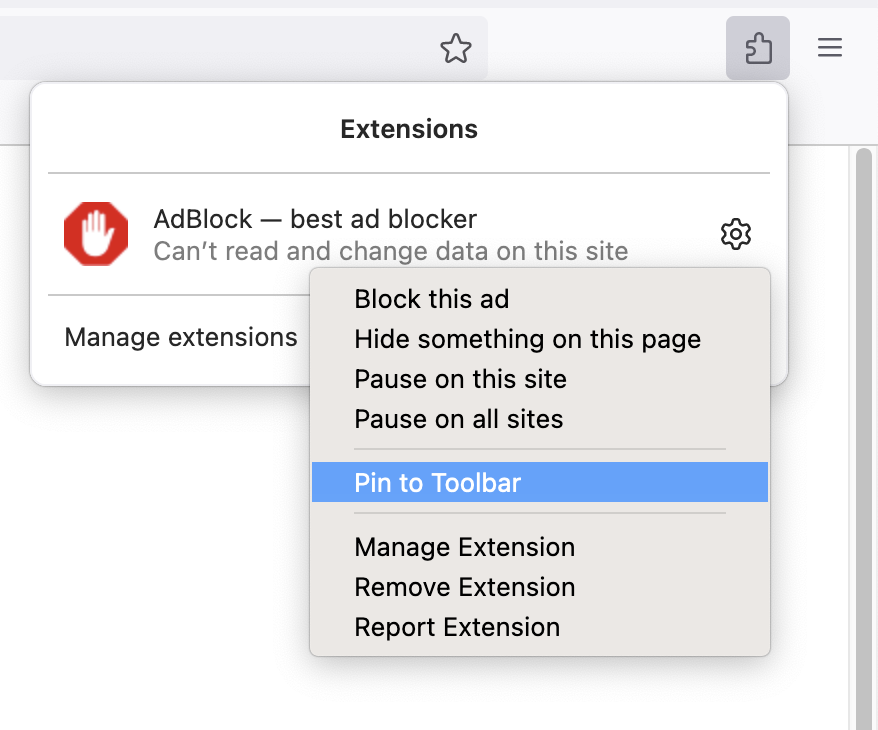
Next to AdBlock, click on the gear symbol and select "Pin to Toolbar".
Edge
Edge
-
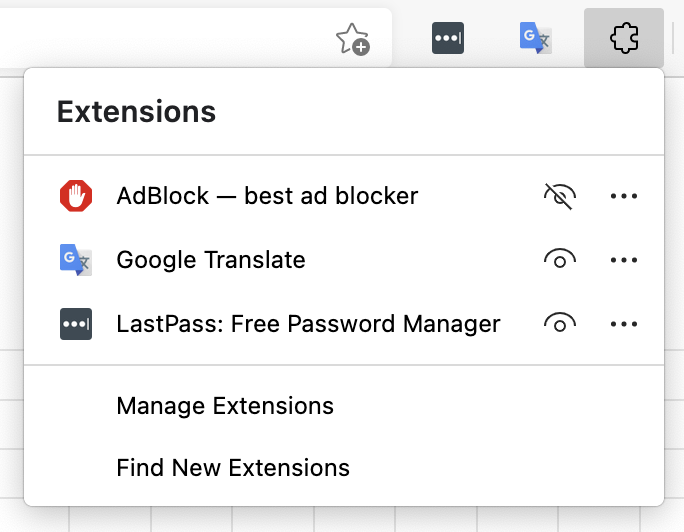
Click the puzzle icon to access the Edge Extensions Menu.
-
Click the view/hide icon (eye icon) to add the AdBlock icon to the toolbar.
If you don't see AdBlock in the list of extensions, see this article: Making sure AdBlock is installed.