
How to show or hide the number of ads blocked
In AdBlock, you can display the blocked ads counter on the AdBlock toolbar icon and on the dropdown menu. Likewise, the feature can be disabled altogether. This feature automatically displays in the AdBlock for Safari Mac app.
-
Click the AdBlock icon in your browser toolbar and select the gear symbol.
-
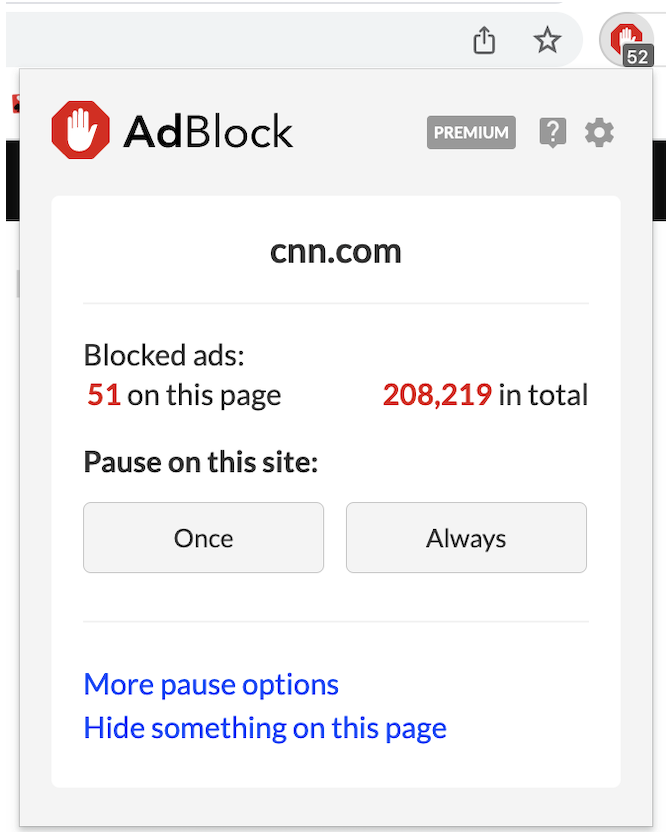
On the General page, select/deselect Show number of ads blocked on AdBlock button or Show number of ads blocked on AdBlock menu.
What you'll see:

Something is blocked, but the AdBlock icon shows nothing is blocked
When ad blockers can't prevent an ad or other page resources from being downloaded, they can use page styling rules to hide them. In Chrome, Firefox, and Edge, the icon badge only shows blocked resources, not hidden ones.
Why do we make this distinction? We try to balance information against performance. Counting hidden resources can take a lot of your computer’s resources, slowing down your browsing.
In Chrome, Firefox, and Edge, you can see what AdBlock is hiding and which filter list is hiding it.
Restoring the total number of blocked ads after reinstalling AdBlock
We store the total number of blocked ads in your browser's persistent storage. Persistent storage is deleted entirely when you uninstall an extension. However, if you remember the total number (or can approximate it), you can use these steps to set AdBlock's counter to start at that number instead of zero after a reinstall.